Overview
To upload the license certificate file in the TopTeam application, you must first obtain the Product License file from TechnoSolutions.
To get the Product License file, contact TechnoSolutions directly.
Once you receive Product License file (*.tlcf), follow these steps to upload the license certificate.
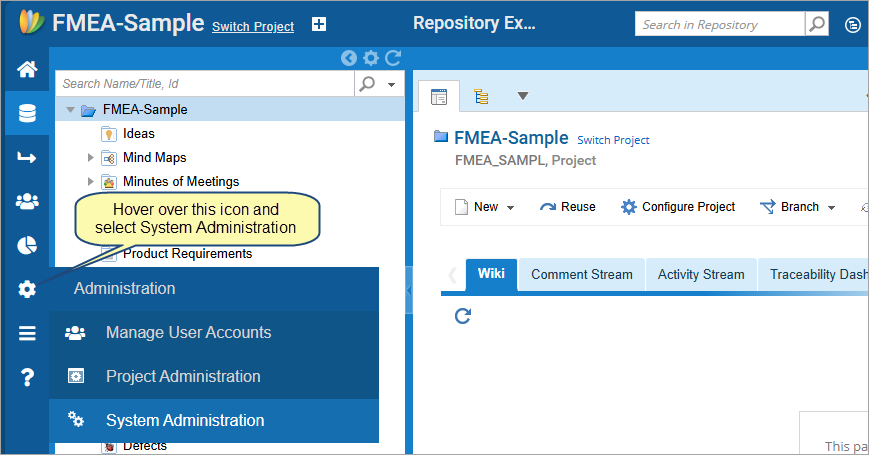
Step 1. Go to the Administration area
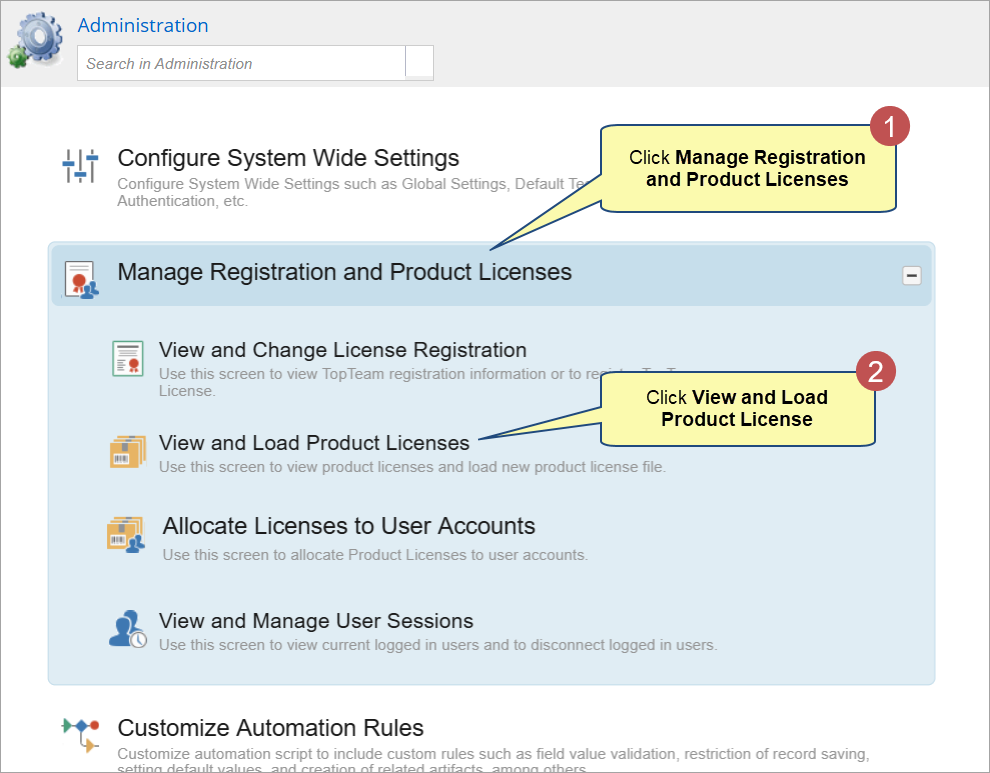
Step 2. Navigate to the page to upload product licenses
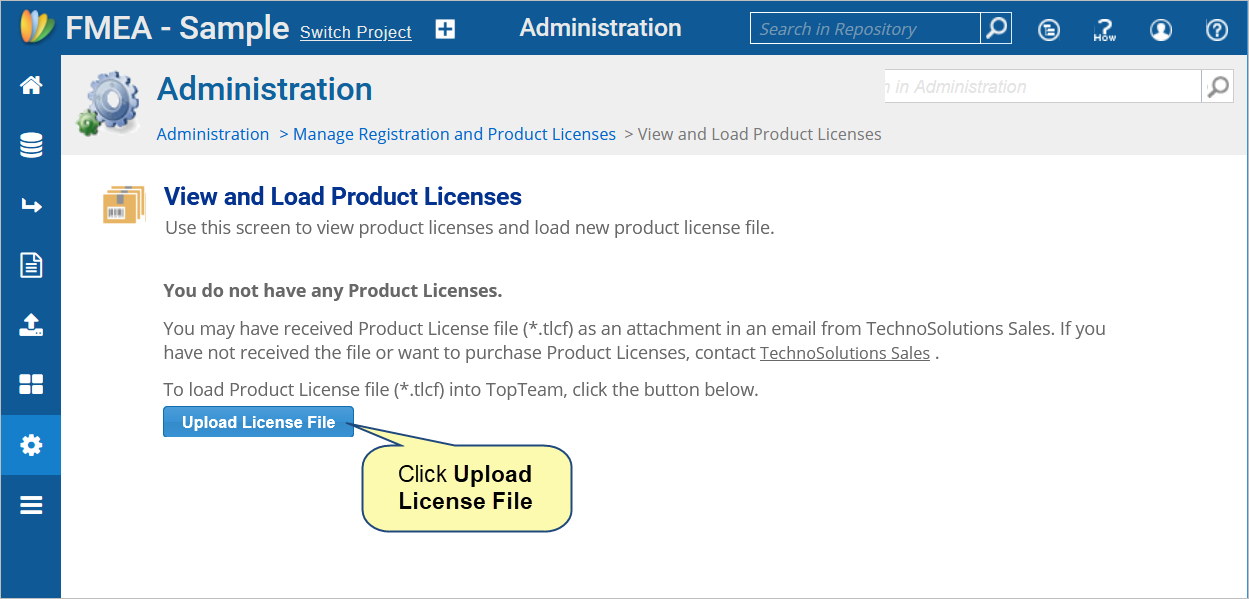
Step 3. Click Upload License File
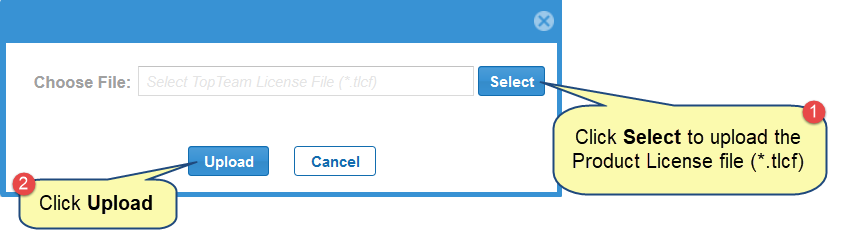
Step 4. Select the Product License file (*.tlcf) that you have received from TechnoSolutions sales and click Upload
Related Articles
Extending Trial Version of TopTeam
Revised: January 6th, 2025