Overview
This article describes the steps to configure TopTeam Web Server email settings. Email settings are required for sending and receiving email notifications, password recovery, etc.
Who should read this?
- TopTeam Administrators
- IT Support
Step 1. Open TopTeam Web installation folder from Internet Information Services (IIS)
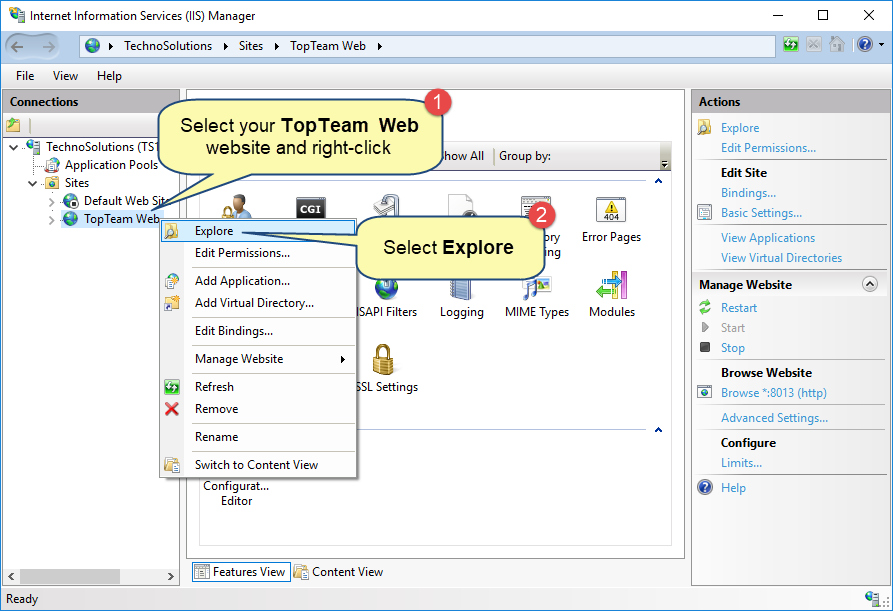
Learn about opening IIS by clicking here.
Step 2. Run TopTeam Web Server Management Console
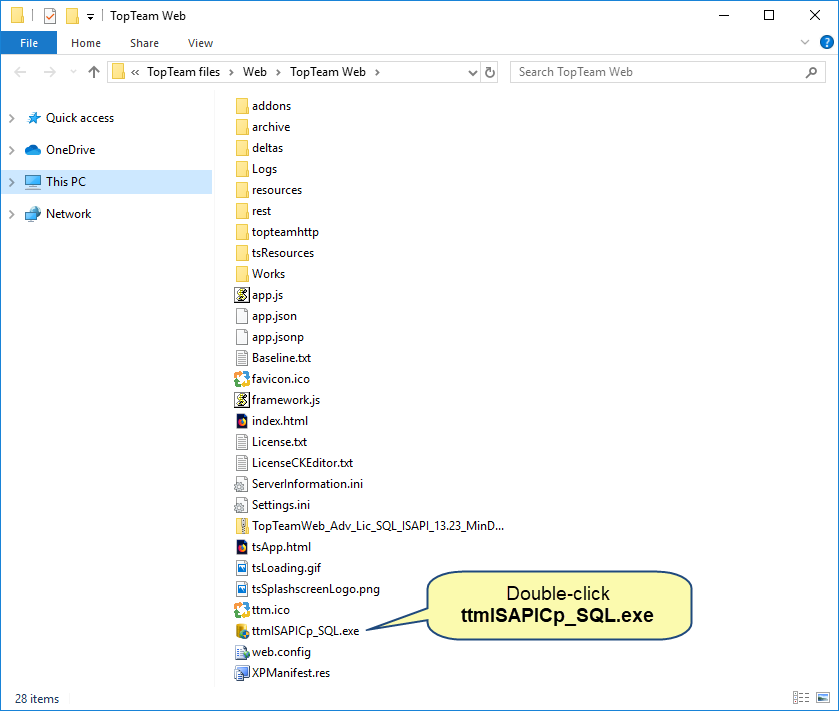
NOTE: In the case of Oracle Database the exe name will be ttmISAPICp_Ora.exe.
Step 3. In the management console, configure email settings
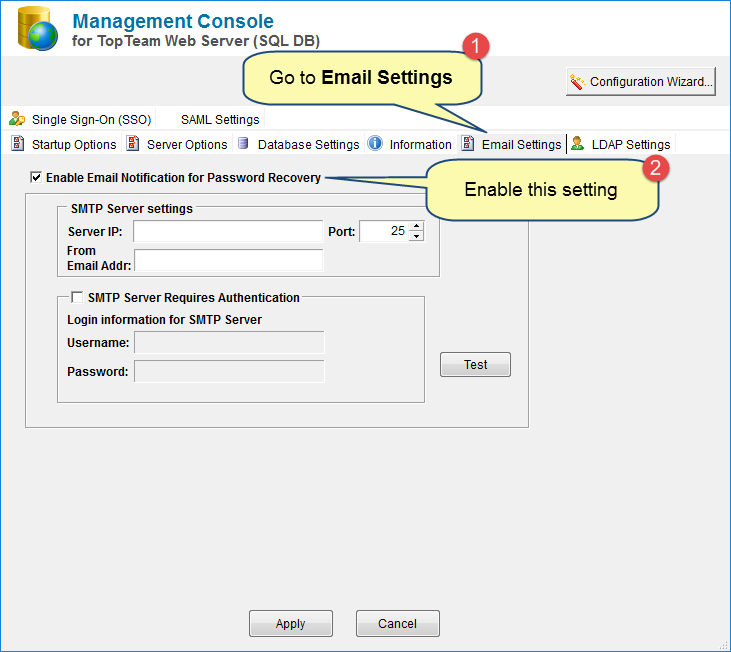
Step 4. Enter email server settings
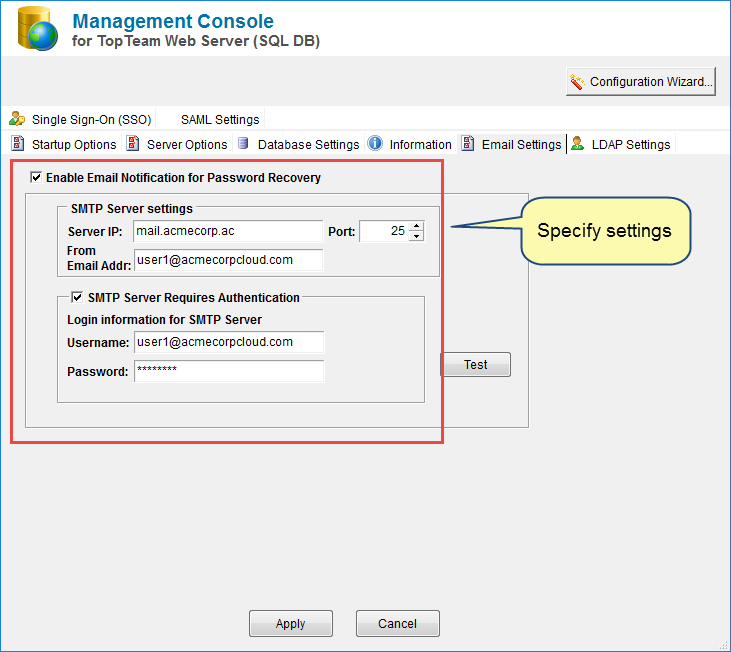
Step 5. Apply the settings
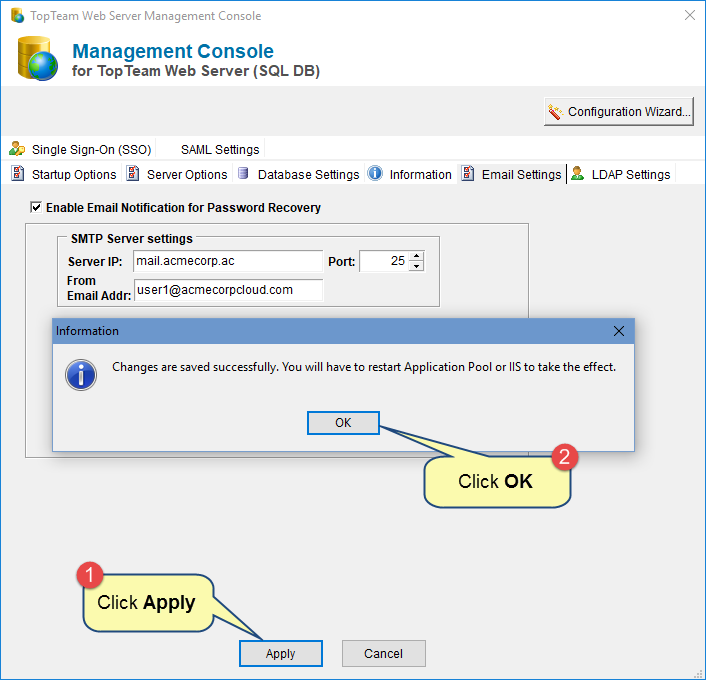
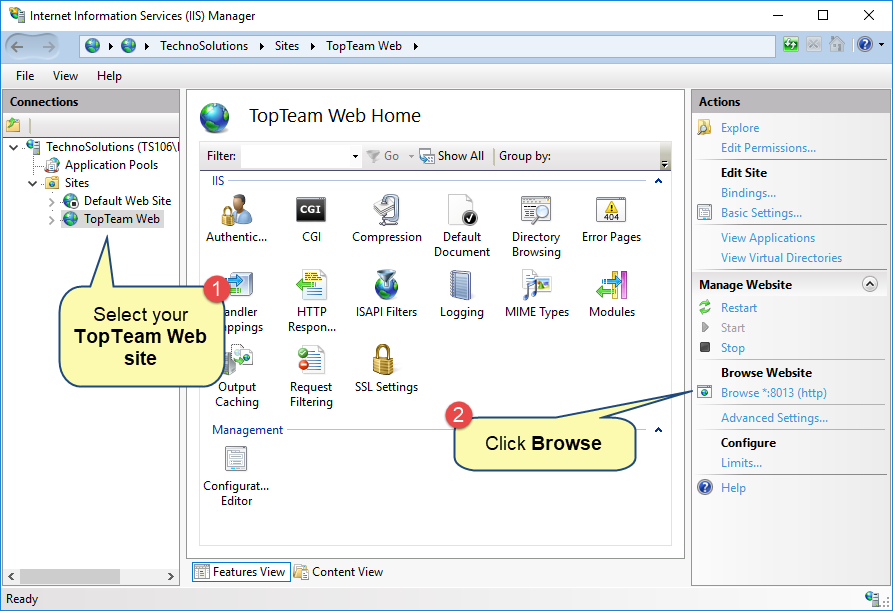
Step 6. Restart IIS and browse the TopTeam Web website
See Also
Recovering forgotten TopTeam Web Password
Revised: August 23rd, 2019