Overview
Disable Login feature can temporarily restrict any user from logging into TopTeam. The disabling action will still, however, consume a Named License.
You can also disable login for a user account using the TopTeam Desktop App. To learn more, click here.
Who should read this?
- TopTeam Administrators
Preparations
- Log into TopTeam as a System Administrator.
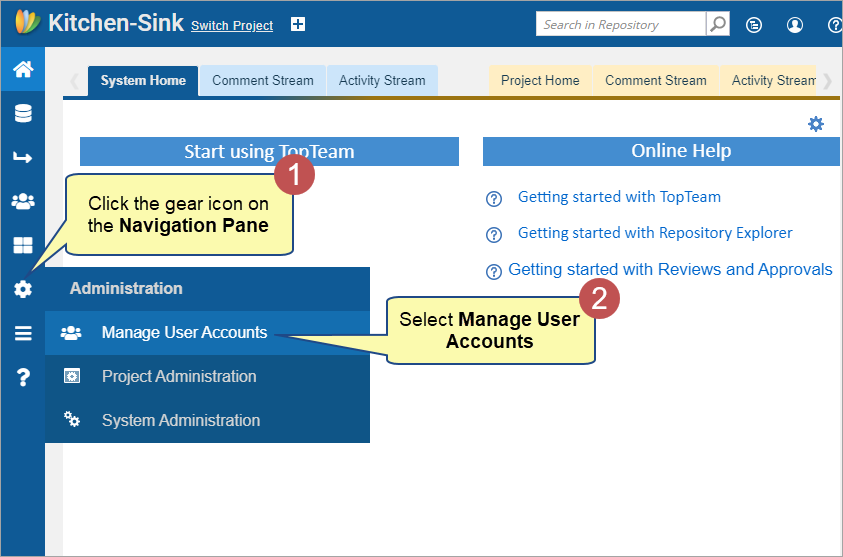
Step 1. Navigate to the Manage User Accounts screen
Step 2. Disable Login for a User Account
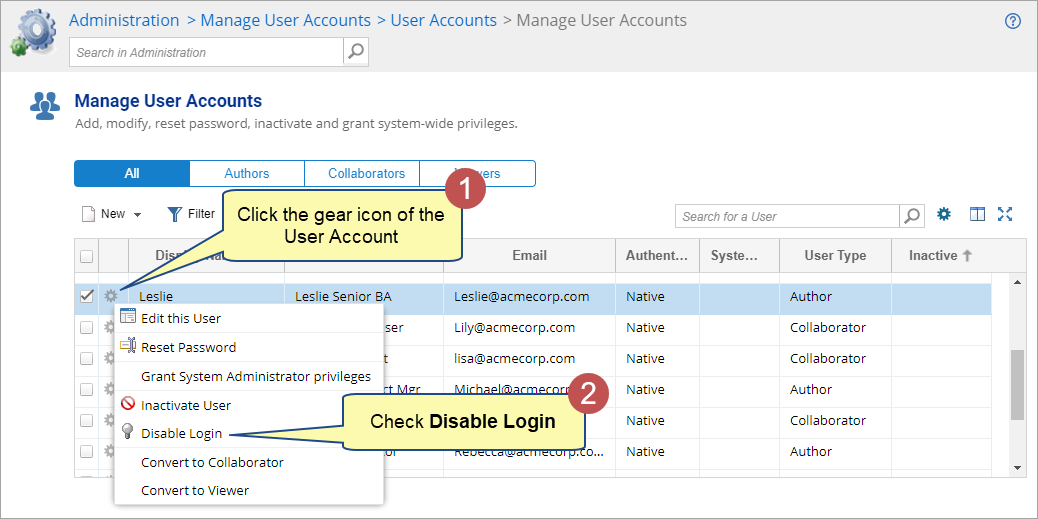
The disabling action will still consume a Named License. To release the license, the user account should be inactivated. To learn more, click here.
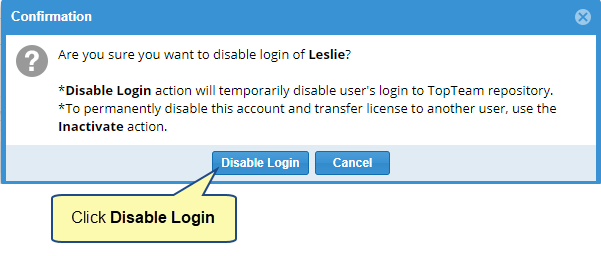
Step 3. Confirm to Disable Login
Step 4. Disabled Login for User Account
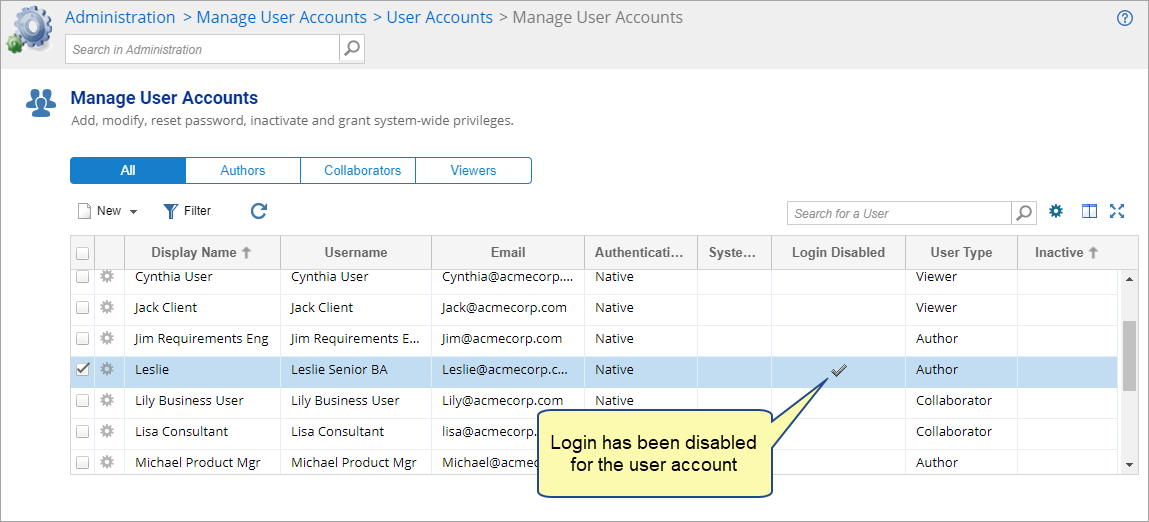
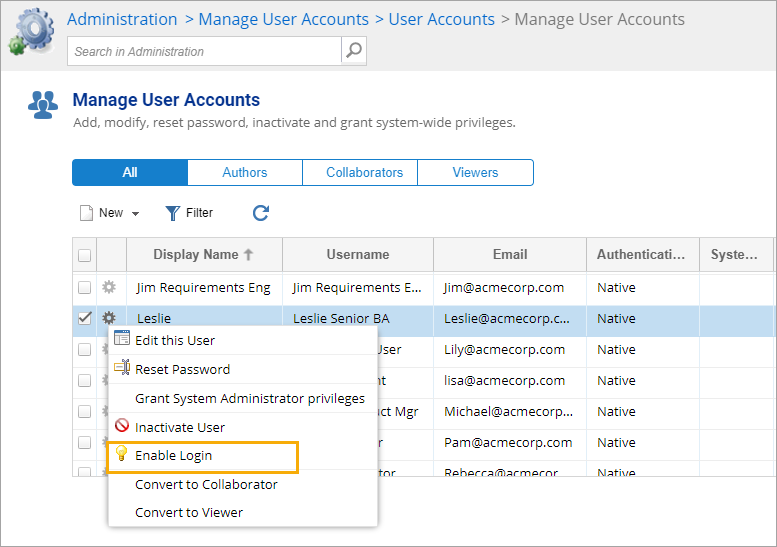
If you want to enable login for the user account, simply click the gear icon and select Enable Login.
Related Articles
Revised: November 15th, 2023