Overview
Package Structures enable you to define a hierarchy of Record Types.
You can do the following configurations:
- Create parent-child relationships between record types
- Define Traceability that should be created between parent and child records
- Create a hierarchy of same record types
Prerequisites
You must be a System Administrator or have Manage Package Structures permissions to configure Package Structures.
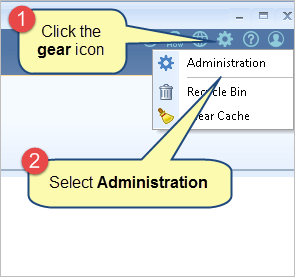
Step 1. Open the Administration section
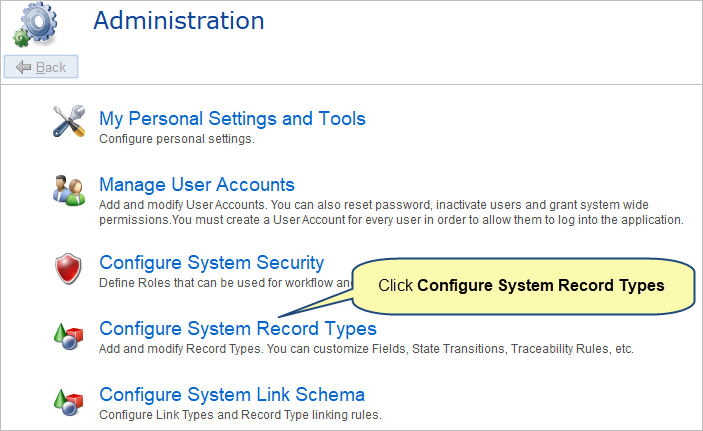
Step 2. Click Configure System Record Types
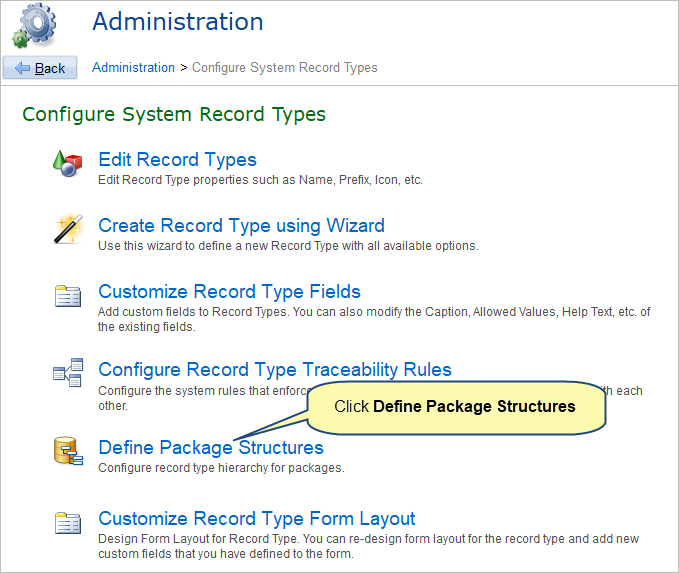
Step 3. Click Define Package Structures
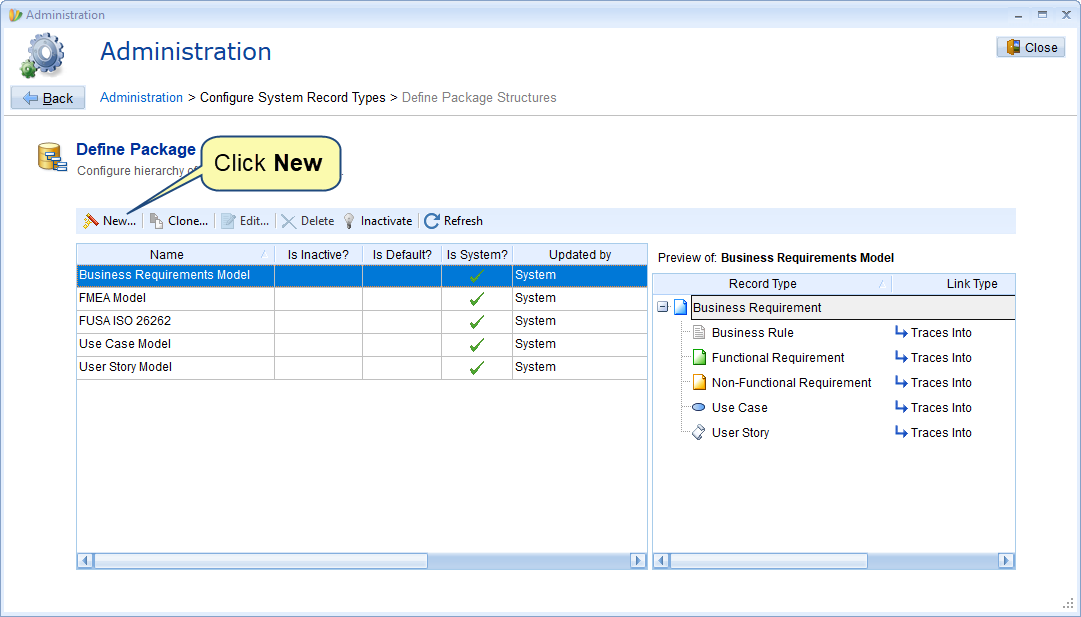
Step 4. Define Package Structures opens, click New to define new package structure
Configure Package Structure Wizard starts
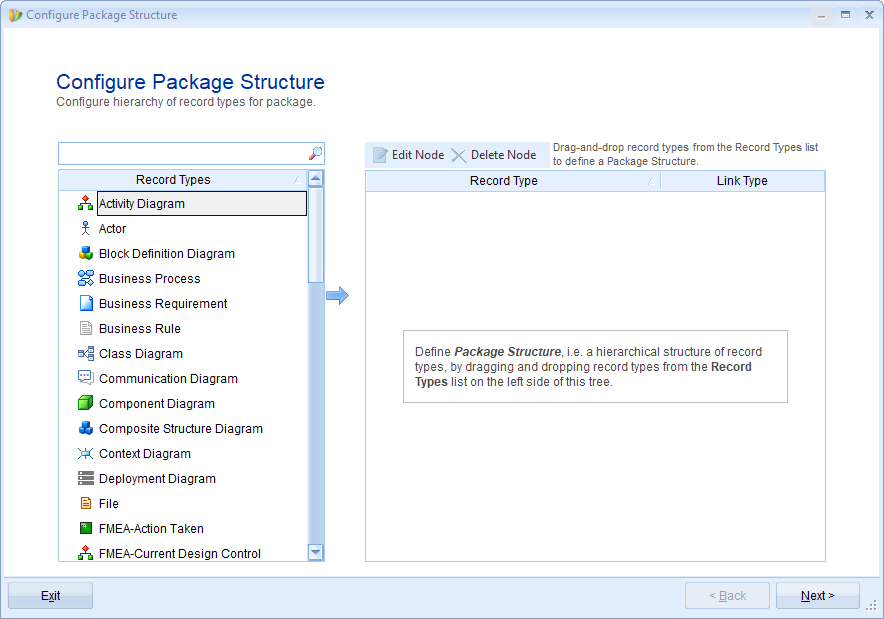
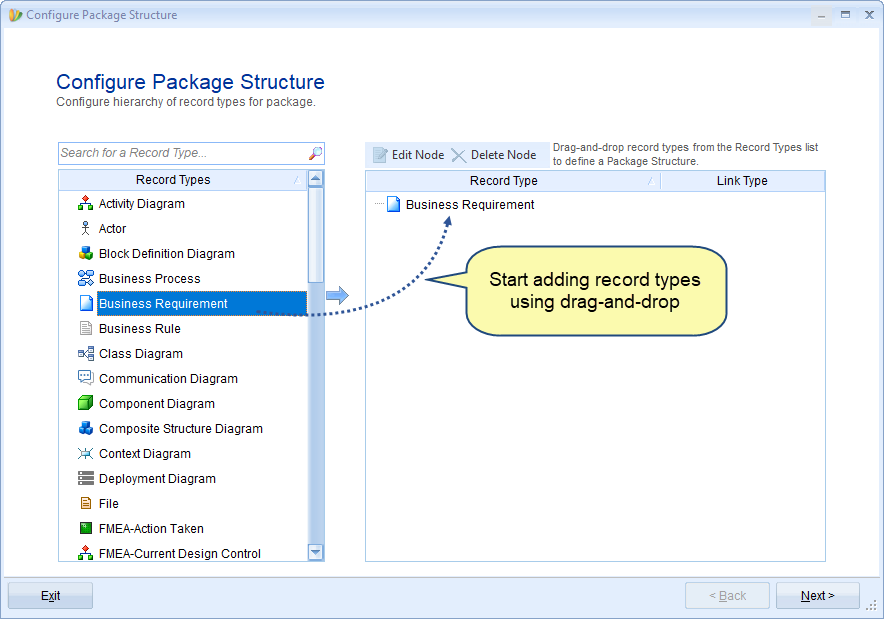
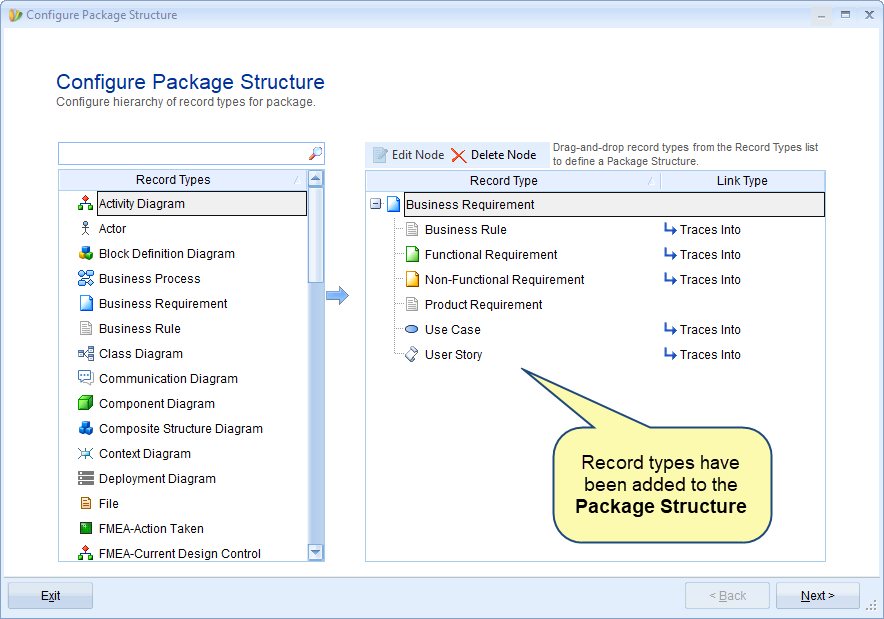
Step 5. Drag-and-drop record types to define a hierarchy
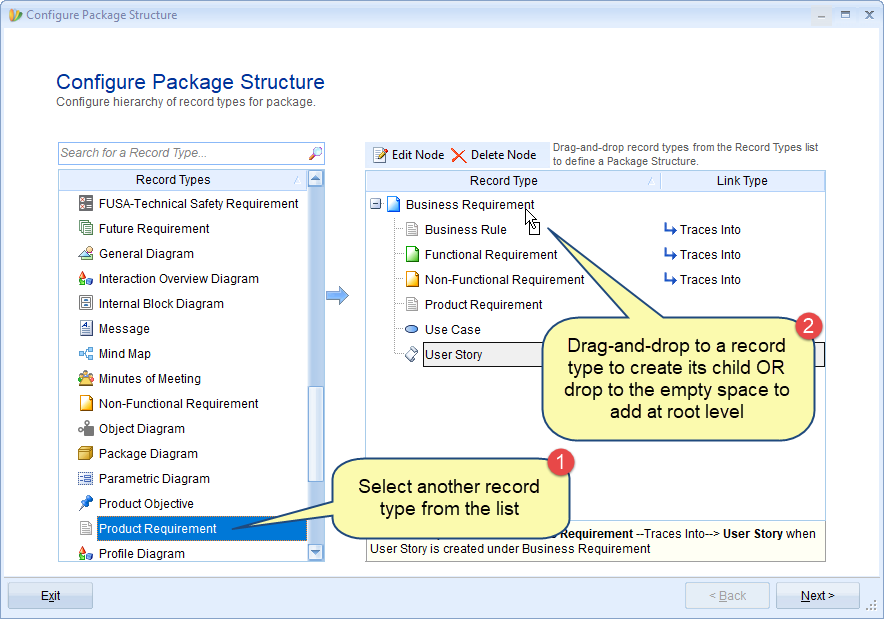
Step 6. Define Hierarchy Rule or linking rule
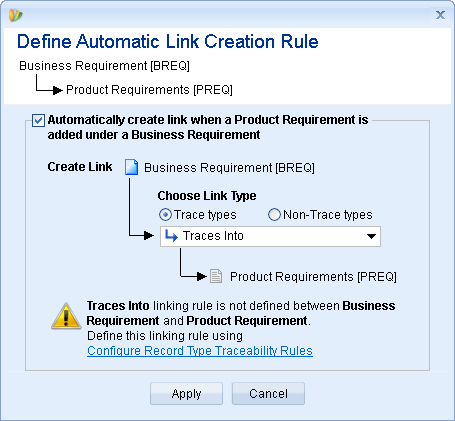
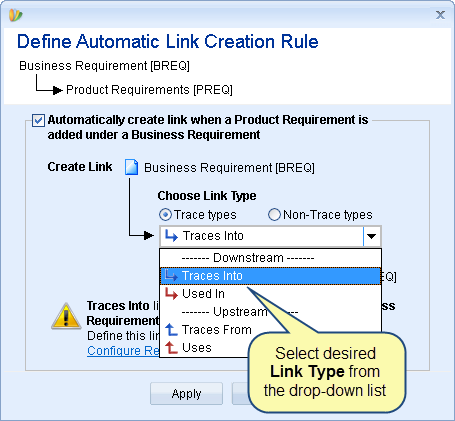
Traces Into link is created automatically. However, you can select the desired Link Type.
Step 6.1. Select a Link Type
Step 6.2. If the selected linking rule is not defined between record types, you can define the rule using Configure Record Type Traceability Rules editor
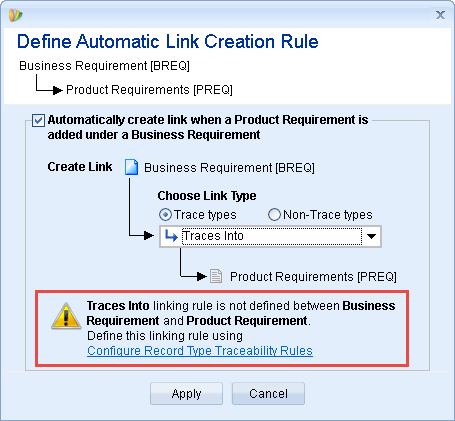
For more details, refer to the article Configuring Traceability Schema/Rules for Record Types.
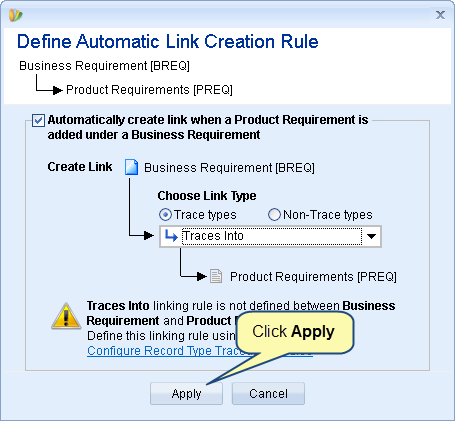
Step 6.3. Click Apply
Step 7. You can create a hierarchy of the same record types
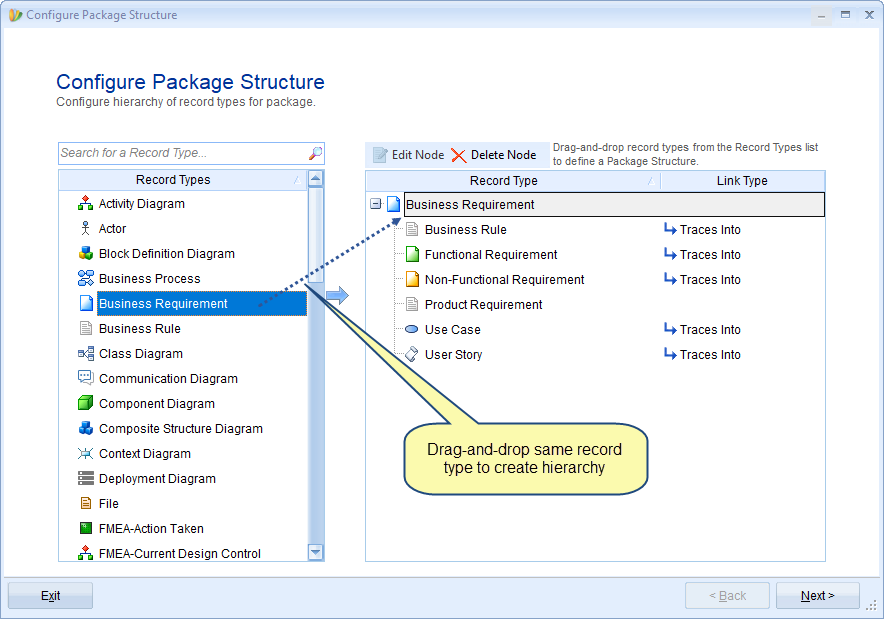
Step 7.1. Define Hierarchy Rule
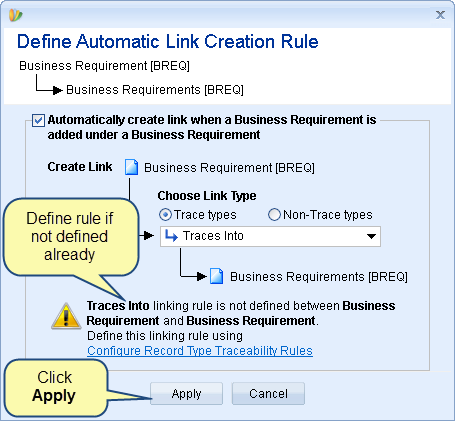
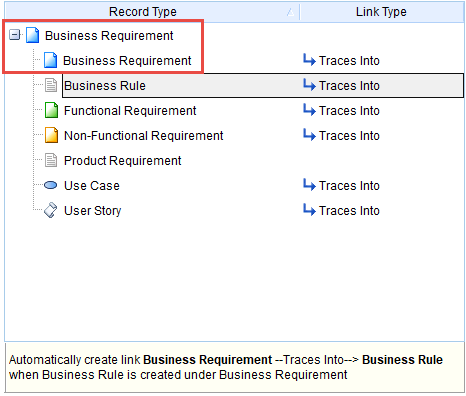
Hierarchy has been created between the same record types
The selected record types are added to the Package Structure
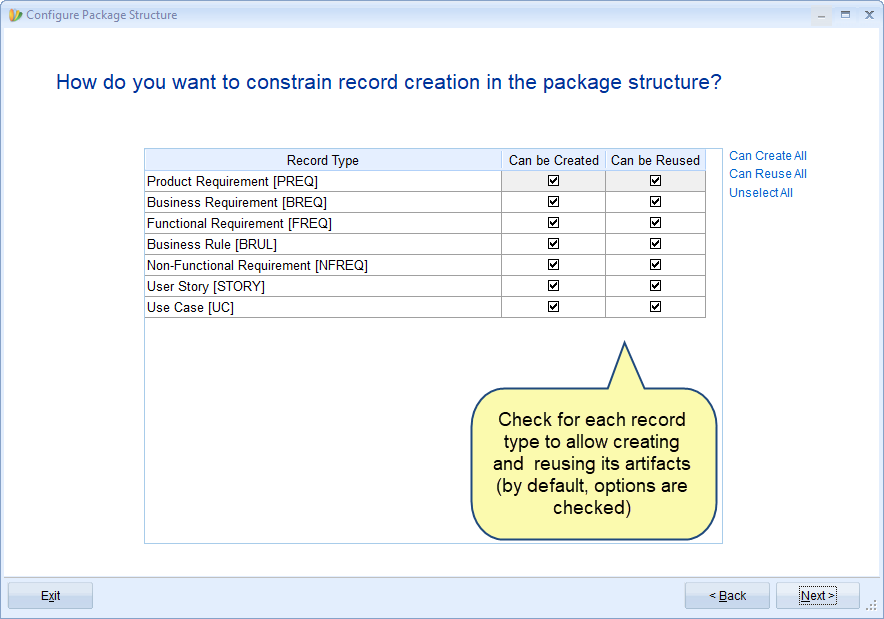
Step 8. Specify constraints for record creation in the package structure
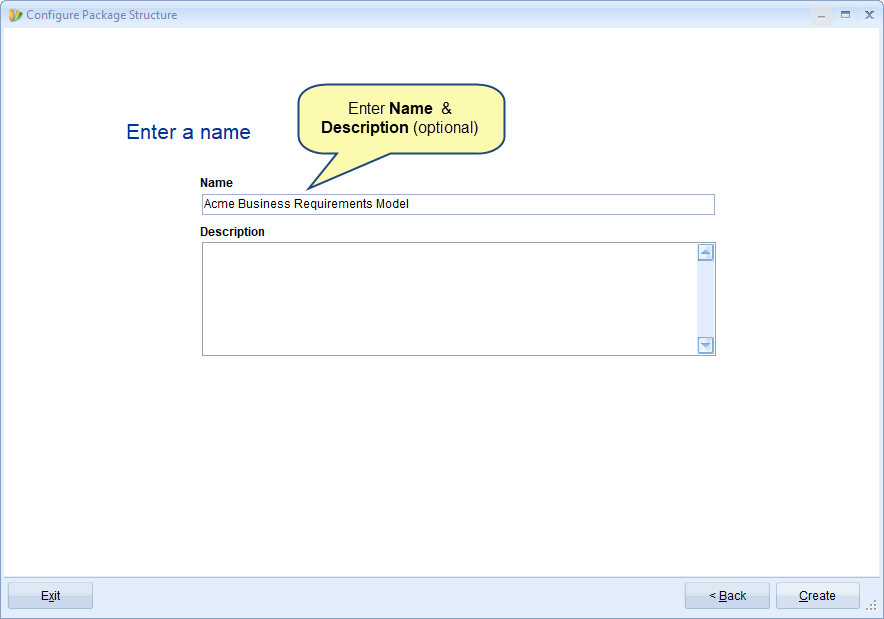
Step 9. Enter Name and Description (optional)
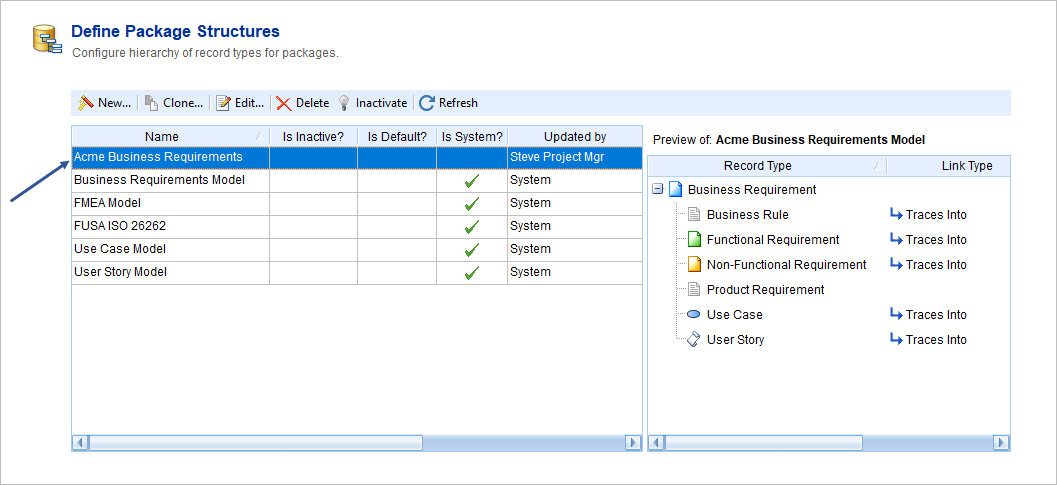
Step 10. Package Structure has been defined successfully
Related Articles
Once creating a Package Structure, you can edit its hierarchy rules. To learn more, click here.
Revised: November 3rd, 2020